LunoVPN for Apple TV

Your TV, unlocked and protected.

Install LunoVPN right on your Apple TV and cover the whole living room with one tap — unlock streaming libraries around the world, stop buffering, and keep your smart TV private.

127 locations LunoGuard protocol No-logs
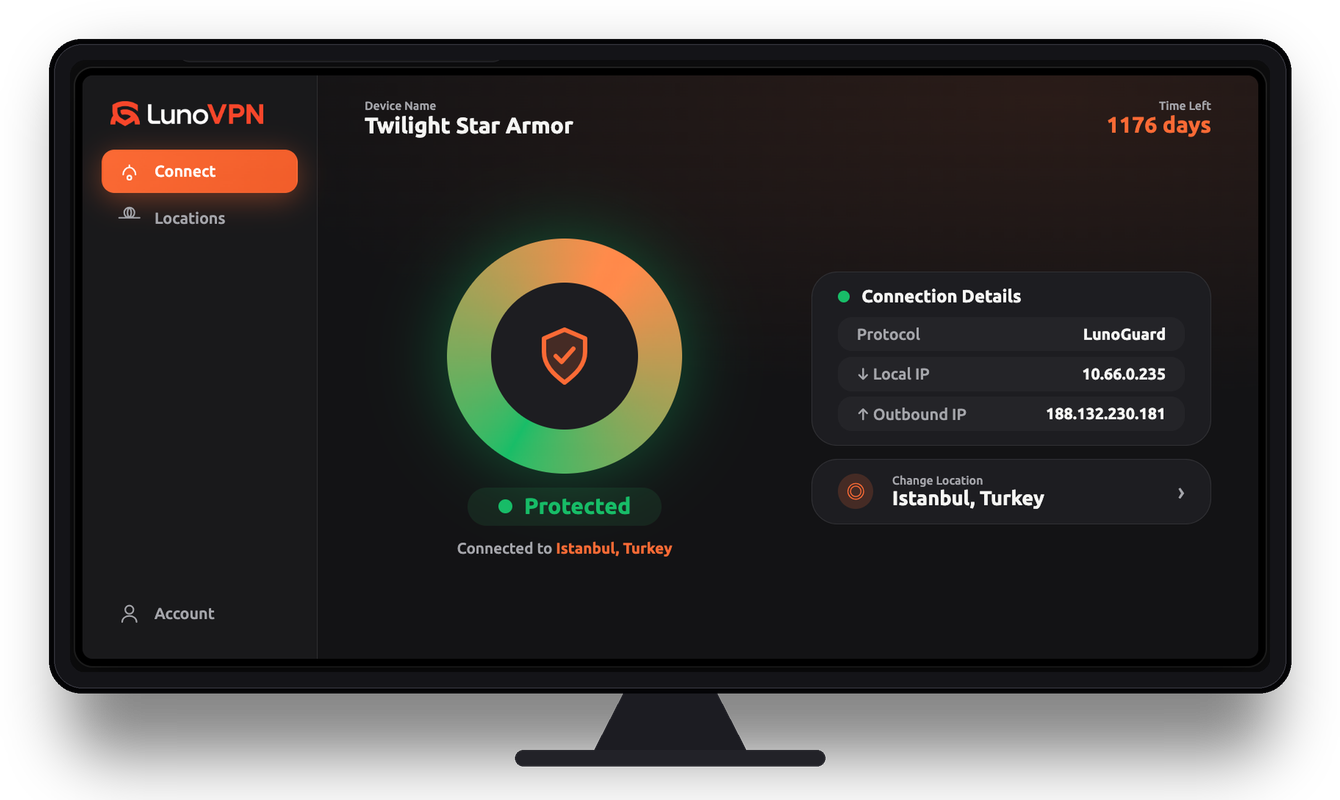
LunoVPN app shown on a TV, connected and protected via Istanbul, Turkey
Overview

Why you need a VPN on Apple TV

Your Apple TV streams everything through your internet provider in the open — which means your ISP can see, log, and even throttle what you watch. A VPN for Apple TV encrypts that traffic at the device level, so a single connection protects every app on the box: your streaming services, browser, and media players all at once.

LunoVPN installs as a native tvOS app, so there’s no need to configure each service separately or set up a router. One tap on the Siri Remote routes the whole Apple TV through an encrypted LunoGuard tunnel, hides your real IP address, and stops your ISP, network, and the apps themselves from profiling what you stream.

What a VPN does on Apple TV

Why a VPN on your TV

More to watch. Less to worry about.

A VPN on the TV itself protects every streaming app at once — and opens up a lot more than it hides.

Unlock global libraries

Connect to another country and browse the streaming catalog available there — thousands of extra titles.

Watch sports from abroad

Follow leagues, matches, and events that are only broadcast in certain regions.

Stop ISP throttling

Some providers slow down streaming. Encrypted traffic hides what you’re doing, so speeds stay high.

Privacy for your smart TV

Stop your TV, apps, and ISP from profiling everything you watch and building an ad profile.

One tap for the room

Protect every app on the TV at once — no per-app setup, no fiddling with each service.

Keep home while away

Travelling or living abroad? Connect home and keep the shows and sports you already pay for.

Beat blackouts & geo-blocks

Obfuscation helps you connect on restrictive or hotel networks where VPNs are usually blocked.

Cover any TV

No native app? Run LunoVPN on your router and every device on the TV stand is protected.

Live demo

See what unlocks abroad

Pick a location and watch the catalog change. Your TV connects to that region and browses its local library:

Connected
Illustrative demo. What each streaming service offers depends on its own catalog and terms in each region.
No more buffering

Throttled vs smooth

When an ISP throttles streaming, quality drops and the spinner appears. LunoVPN hides the traffic, so your stream keeps flowing:

Without VPN480p
Buffering…
ISP throttling activestalling
With LunoVPN4K
Encrypted · hidden from ISPsmooth
Setup

On your TV in under a minute

No cables, no tech skills — just your account number and the remote.

1

Install the app

Find LunoVPN in the App Store on your Apple TV and install it.

2

Sign in

Enter your account number — no email or password to type on the remote.

3

Pick a location

Choose from 127 locations, or let “Best for You” pick the fastest.

4

Press Connect

One tap and the whole TV is protected. Open any app and start watching.

Compatibility

Every screen in the living room

Native apps for the big platforms — and router support for everything else.

Apple TV Android TV Fire TV Smart TVs Any TV via router
FAQ

Apple TV VPN — frequently asked questions

Do I need a VPN on my Apple TV?
If you stream on Apple TV, a VPN adds real value: it encrypts your traffic so your ISP can’t throttle or log what you watch, hides your IP address, and lets you switch regions to access more content. It also secures Apple TVs used on shared or public networks.
How do I install LunoVPN on Apple TV?
Open the App Store on your Apple TV, search for “LunoVPN,” install it, sign in with your account number, choose a location, and press Connect. The whole box is protected in about a minute.
Does LunoVPN have a native Apple TV (tvOS) app?
Yes. LunoVPN is a native tvOS app built for the big screen and the Siri Remote, so you don’t need a phone or a router to protect your Apple TV.
Will a VPN slow down streaming on Apple TV?
A well-built VPN has minimal impact. LunoVPN uses the lightweight LunoGuard protocol with unlimited bandwidth, and a nearby server keeps speeds high — often faster than a throttled connection, since your ISP can no longer single out streaming traffic.
Can I change my streaming region with LunoVPN on Apple TV?
LunoVPN lets you connect to servers in 127 locations worldwide, which changes the region your Apple TV appears to be in. What each streaming service ultimately shows depends on its own catalog and terms in that region.
Does the VPN protect every app on my Apple TV?
Yes. Because LunoVPN runs at the system level, one connection encrypts the traffic of every app on the Apple TV — streaming services, browsers, and media players — with no per-app setup.
How many devices can I use on one account?
A single LunoVPN account supports up to 5 devices, so you can protect your Apple TV alongside your iPhone, iPad, and Mac.
Is using a VPN on Apple TV legal?
Using a VPN is legal in most countries. You’re responsible for following your local laws and the terms of the services you use. LunoVPN keeps no logs of your activity.
Which server and protocol are best for streaming?
For the smoothest playback, use “Best for You” or a nearby location and keep the default LunoGuard protocol. Switch to another country only when you specifically want that region’s library.
Explore more

Related LunoVPN guides & features

Turn your TV into a world of content

Available on Apple TV, Android TV, Fire TV — and every other device you own.

Get LunoVPN
© 2025 LunoVPN — We don’t know who you are, and that’s by design.
Proudly engineered by LunoVPN